

How to troubleshoot a Belt Sorting Table that stops working?
Dec 19, 2025
Alright folks, as a supplier of Belt Sorting Tables, I know how frustrating it can be when your trusty machine suddenly stops working. It's like having a key player on your team sit out a game - everything just grinds to a halt. But don't worry, I'm here to walk you through some common issues and how to troubleshoot them.
1. Check the Power Source
The first thing you gotta do when your Belt Sorting Table stops is to check the power source. Sounds simple, right? Well, you'd be surprised how many times it's just a loose plug or a tripped circuit breaker.
First, take a look at the power cord. Make sure it's securely plugged into both the sorting table and the wall outlet. If it looks loose, give it a gentle tug to make sure it seats properly.
Next, check the circuit breaker or fuse box. Sometimes, the breaker can trip if there's a power surge or if the machine is drawing too much power. If you find a tripped breaker, switch it back on. If it trips again right away, there might be a more serious electrical issue, and you should probably call in an electrician.
2. Inspect the Belt
The belt is the heart of your Belt Sorting Table. If it's not moving, there could be a few things going on.
Start by looking for any visible signs of damage. Check for tears, frays, or loose sections. If you find any damage, you'll likely need to replace the belt. You can find replacement belts on our website Belt Sorting Table.
Another common issue is belt slippage. This can happen if the belt is too loose or if there's too much debris on the pulleys. To fix a loose belt, you may need to adjust the tension. Refer to your machine's manual for instructions on how to do this. If there's debris on the pulleys, use a clean, dry cloth to wipe them down.
3. Examine the Motor
The motor is what powers the belt. If it's not working, the table won't move.
Listen for any strange noises coming from the motor. A grinding, buzzing, or clicking sound could indicate a problem. If you hear these noises, turn off the machine immediately to prevent further damage.
Check the motor's connections. Make sure all the wires are securely attached. Loose wires can cause the motor to malfunction. If you're not comfortable working with electrical connections, it's best to call a professional.
Also, look at the motor's overload protector. This is a safety feature that trips if the motor gets too hot or draws too much current. If the protector has tripped, wait for the motor to cool down and then reset it. If it trips again, there might be an issue with the motor itself, and you may need to replace it.
4. Look for Blockages
Sometimes, the Belt Sorting Table stops working because there's a blockage in the system. This could be a piece of product that got jammed, or some debris that made its way into the moving parts.
Inspect the sorting area carefully. Look for any objects that might be blocking the belt or the rollers. If you find a blockage, remove it gently. Be careful not to damage the machine while doing this.
You should also check the conveyor's entrance and exit points. Sometimes, items can pile up here and cause a blockage. Clear any accumulated products or debris to ensure smooth operation.
5. Check the Control Panel
The control panel is like the brain of your Belt Sorting Table. If there's an issue with the settings or the control components, the machine may stop working.
First, make sure the control panel is turned on and the display is working. If the display is blank, check the power supply to the control panel.
Look for any error messages on the display. These messages can give you a clue about what's wrong with the machine. Refer to the user manual to understand the meaning of the error codes and follow the recommended troubleshooting steps.
If there are no error messages but the machine still won't work, try resetting the control panel. This can sometimes clear minor glitches. To reset it, turn off the power to the control panel, wait a few seconds, and then turn it back on.
6. Consider the Drive System
The drive system is responsible for transferring power from the motor to the belt. If there are problems with the drive system, the belt won't move.
Check the drive belts or chains. Look for signs of wear, such as cracks or excessive stretching. If the drive belt or chain is worn out, it will need to be replaced. You can also check the tension of the drive belt or chain. If it's too loose or too tight, it can cause issues.
Another component of the drive system is the gears. Make sure the gears are properly lubricated and free from damage. If you notice any strange noises or resistance when the machine is running, it could be a sign of gear problems.

7. Seek Professional Help
If you've gone through all these troubleshooting steps and your Belt Sorting Table still isn't working, it might be time to seek professional help. You can reach out to our technical support team. We have a group of experts who are well - versed in Belt Sorting Tables and can diagnose and fix complex issues.
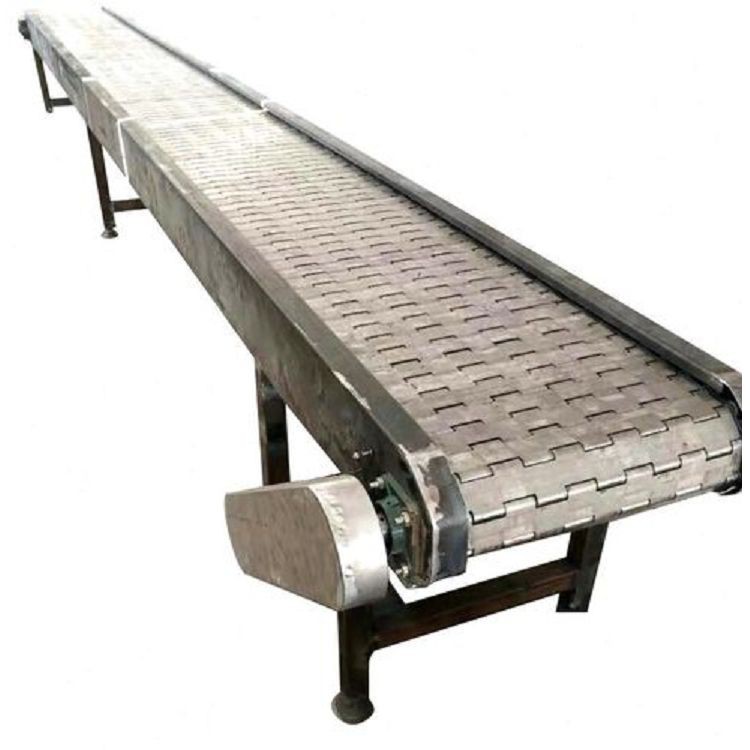
Our team can also provide maintenance services to keep your machine in top - shape and prevent future breakdowns. And if you're in the market for a new Belt Sorting Table, or considering a different type like our Chain Plate Sorting Table, we'd be happy to assist you in making the right choice.
We also offer Packing Machine solutions that can integrate seamlessly with your sorting table, streamlining your production process.
If you're interested in purchasing our products or need further assistance with troubleshooting, don't hesitate to get in touch. We're committed to providing you with the best quality products and support.
References
- Belt Sorting Table Manufacturer's Manual
- Electrical Troubleshooting Guides
- Industrial Maintenance Handbooks